
AkiMuzika
Menu

COMING SOON

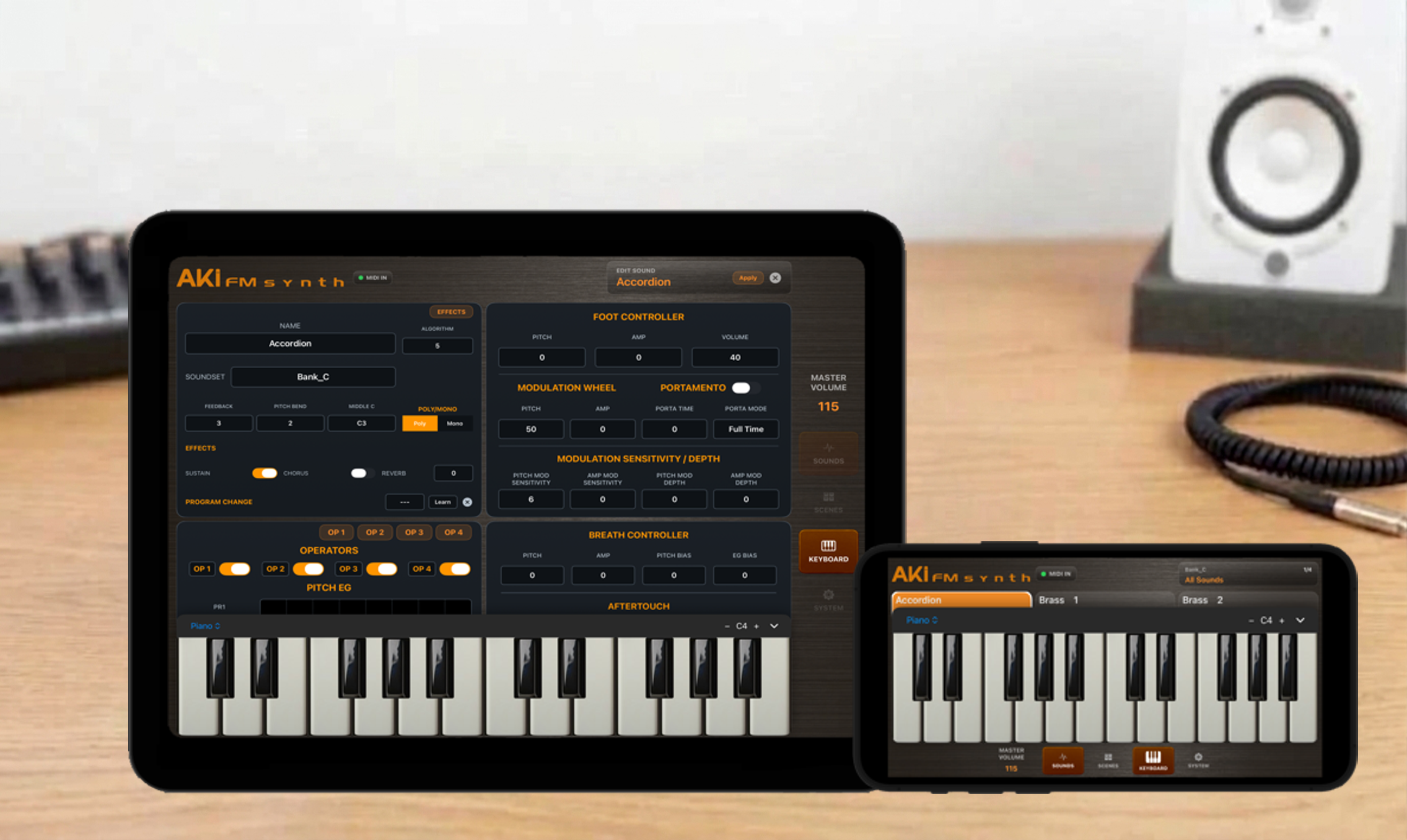
AKI FM Synth brings classic late-1980s four-operator FM synthesis to iPad and iPhone, with the character and expressive response of the original hardware in a modern interface.


AKI FM Synth’s four-operator FM engine is designed to reproduce the original hardware’s envelopes, frequencies, waveforms, modulation, controller response and timing, capturing the behavior of the original hardware with exceptional accuracy and fidelity.


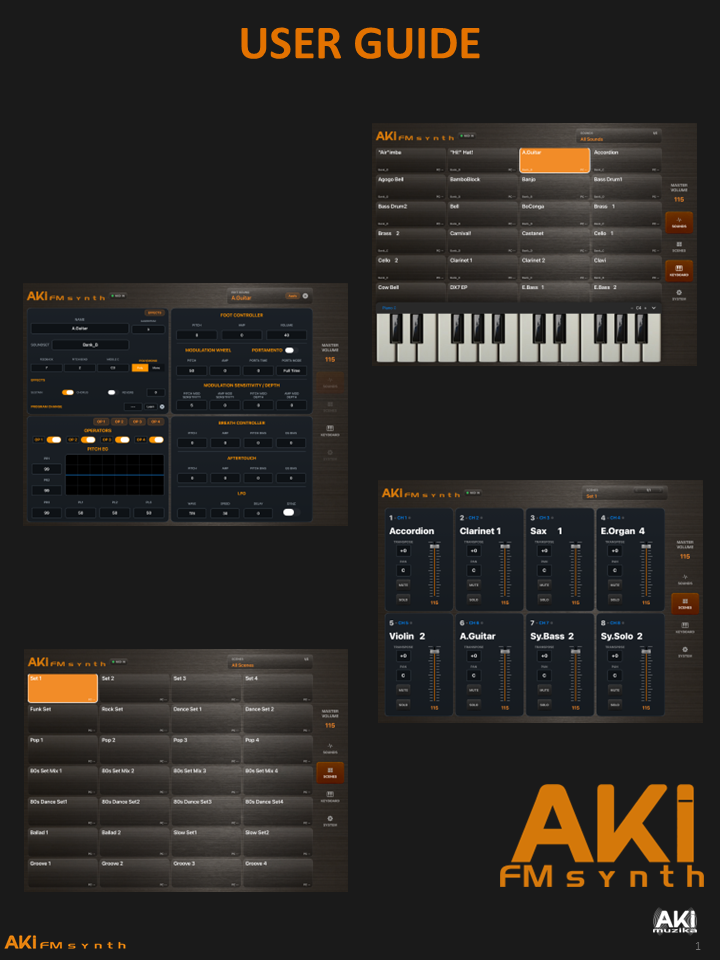
Play imported voices, shape sounds visually instead of navigating hardware menus, and organize your favorites into Soundsets and Scenes for fast access while playing. Go beyond the original eight-voice limit with expanded polyphony, eight-track Scenes, copy and paste, and a modern workflow built around actually using and creating sounds.


Built with live performance in mind, AKI FM Synth is designed to move quickly from sound selection to performance, with the flexibility to organize, layer and control your sounds the way you need them on stage.
Column
Column

External link opens in new tab or window

Column

Column

FM SYNTHESIS

• Four-operator FM synthesis modeled on the Yamaha DX11 and TX81Z.

• Eight FM algorithms and eight waveforms per operator.

• Eight-voice polyphony per Sound, with mono and polyphonic operation.

SOUND IMPORT

• Import DX11 and TX81Z SysEx files as 32-voice banks or individual voices.

• Import from multiple files at once and select any or all of the voices found.

• Assign imported Sounds to an existing or new Soundset. For bank imports, use each bank’s name as the Soundset for the Sounds imported from that bank.

SOUNDS

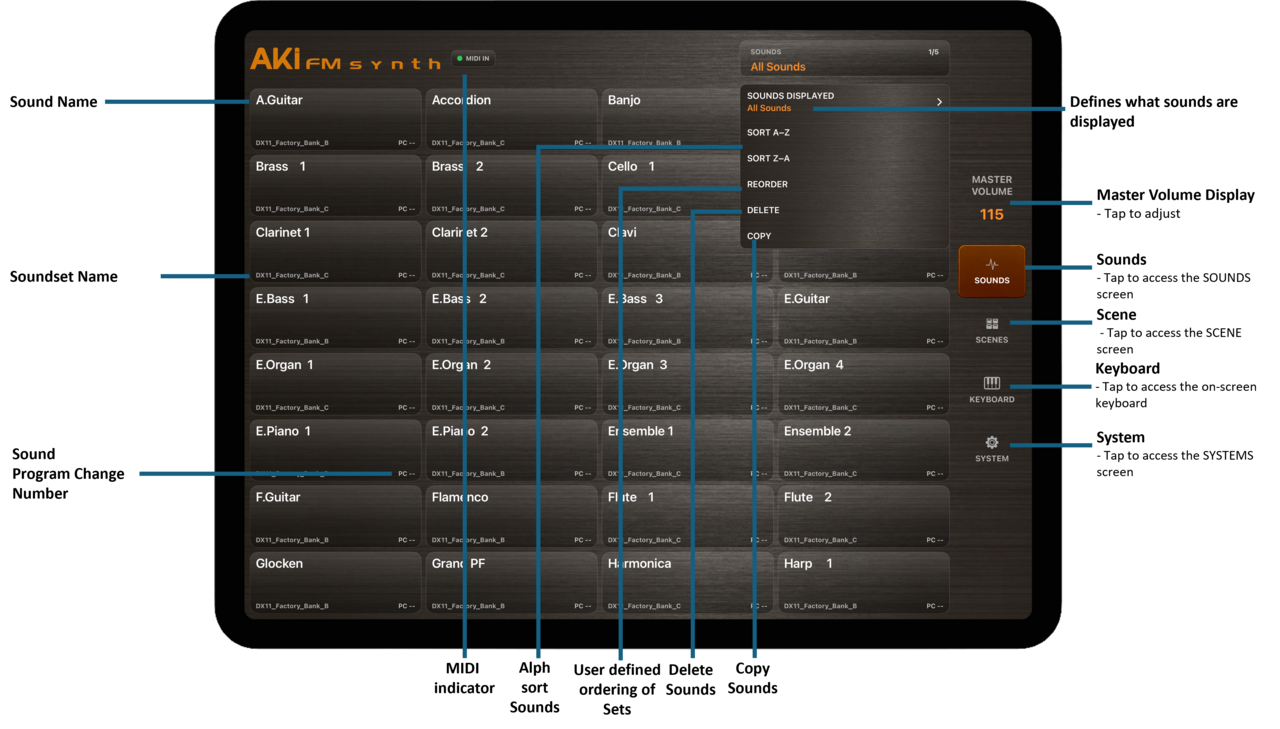
• Filter by Soundset or browse All Sounds.

• Sort, reorder, copy or delete Sounds.

SOUND EDIT

• Rename a Sound or assign a Soundset.

• Edit the FM algorithm, feedback, pitch envelope and LFO.

• Set each operator’s waveform, frequency ratio or fixed frequency, detune, output level and envelope.

• Adjust operator keyboard scaling and velocity sensitivity.

• Assign Program Change for MIDI recall.

• Create, rename and delete Soundsets.

• Assign Sounds in Sound Edit or on import.

Column

SOUNDSETS

• Copies retain their Soundset assignment.

• Deleting a Soundset keeps its Sounds in the library.

SCENES

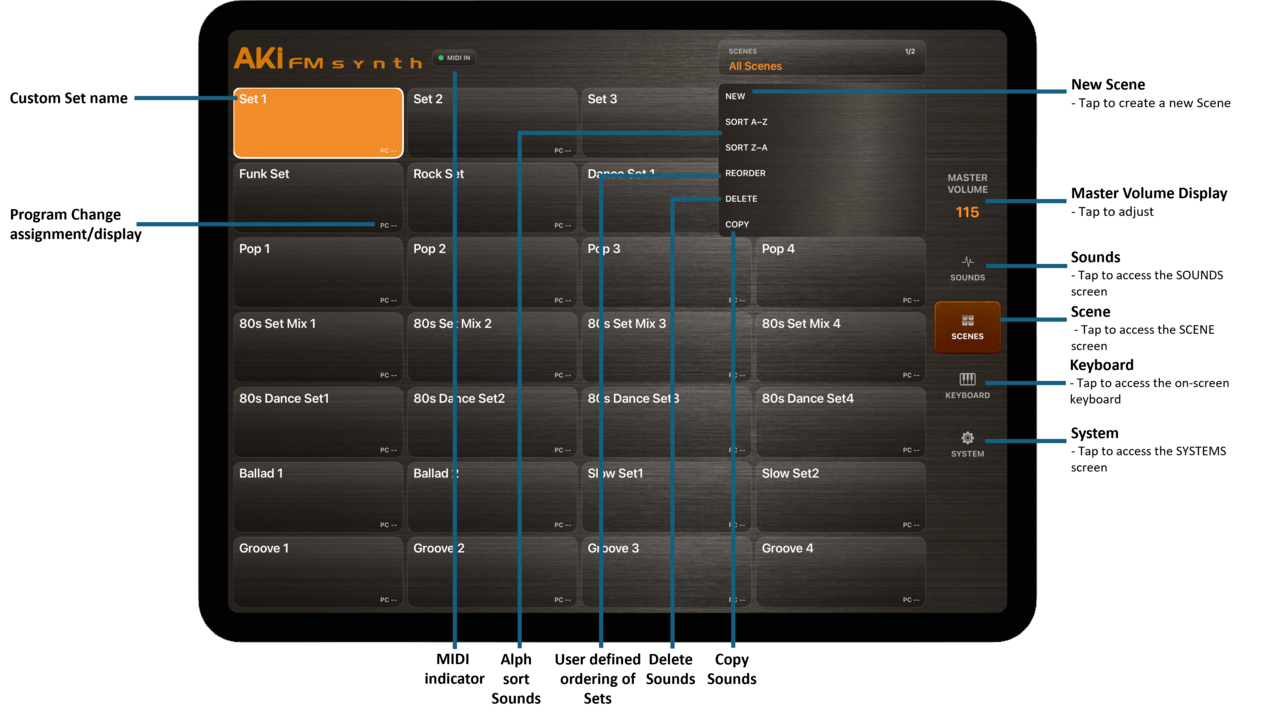
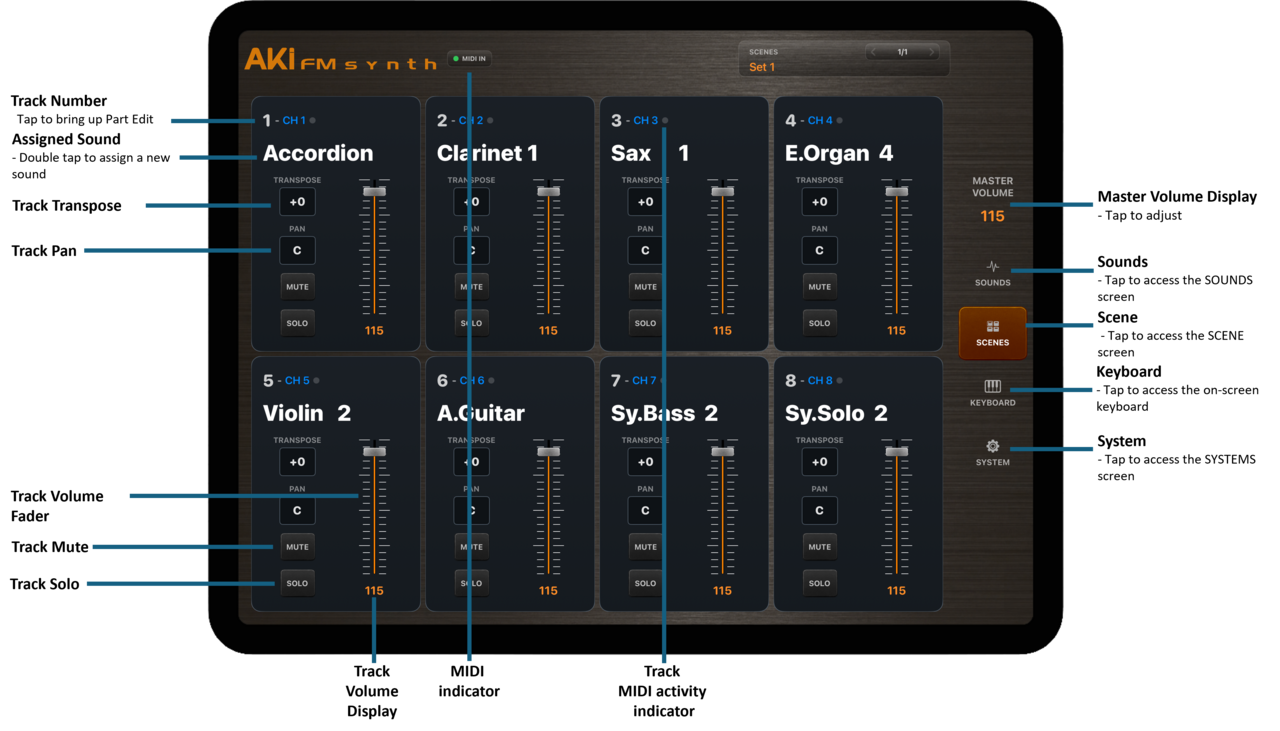
• Save and recall eight-track setups with their Sound assignments, MIDI routing and mixer settings.

• Create, rename, sort, reorder, copy or delete Scenes.

• Use MIDI Learn for Scene recall.

TRACKS & MIXING

• Assign a separate Sound and MIDI channel to each track.

• Create layers by sharing a MIDI channel, or splits by setting separate key ranges.

• Per-track volume, stereo pan, transpose, mute, solo and MIDI receive control.

• Set key-range boundaries from incoming MIDI notes.

• Change track Sounds remotely via Program Change.

• Assign MIDI Control Change or Program Change to track mute and solo.

• Master volume and mute, with MIDI CC7 volume control on the Global MIDI channel.

SOUND EFFECTS

• Per-Sound reverb, delay, chorus, drive and three-band EQ.

• Independent on/off switches and editable settings for each effect.

• Live effects preview while editing, with effects settings saved with the Sound.

Column

ON-SCREEN KEYBOARD

• Piano, five-row B System and C System, and six-row Balkan layouts.

• Adjustable octave range.

• Play Sounds from the on-screen keyboard while editing them.

MIDI & CONNECTIVITY

• MIDI input on channels 1–16 with connected input devices shown in the app.

• Bluetooth MIDI pairing and advertising as AKI FM Synth.

• Configurable Global MIDI channel for Sound and Scene recall.

• Program Change assignments with Bank Select and MIDI Learn.

PERFORMANCE CONTROLS

• Velocity-sensitive playback and configurable pitch-bend range.

• Modulation wheel, channel aftertouch, breath controller, foot controller and sustain support.

• Adjustable portamento time and mode.

• LFO waveform, speed, delay and sync, with pitch and amplitude modulation control

REQUIREMENTS

• iPhone and iPad

• iOS 16 or later


features at a glance


aPP SUPPORT

support@akimuzika.com

External link opens in new tab or window

Column


Column


Aki Sound Module User Guide.pdf

Column


contact us


574773
Invalid Form properties detected


__parser__boolean_attribute_value__parser__


Copyright © 2026 AkiMuzika.com. Aleks Enterprises LLC. All rights reserved.


close lightbox