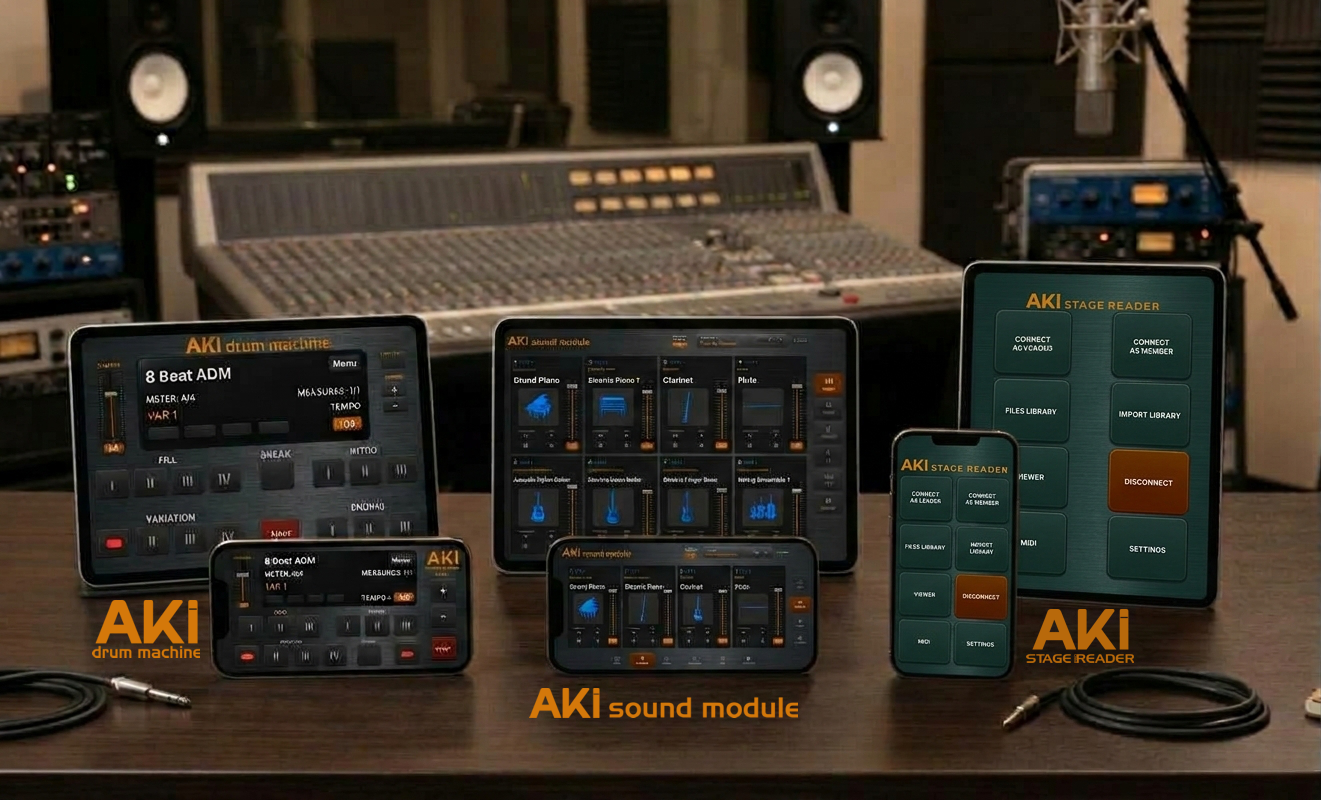

features at a glance

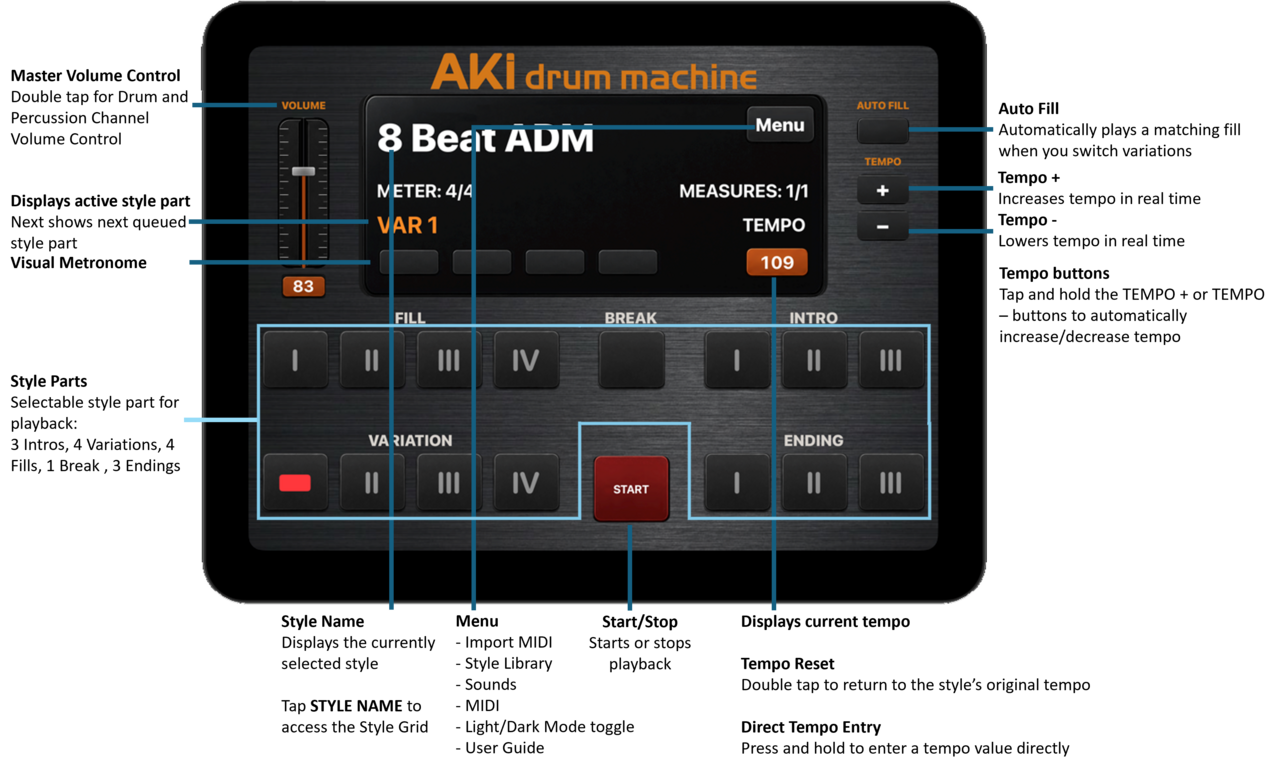
iPad and iPhone Compatible

iPAD IN LANDSCAPE

iPHONE IN lANDSCAPE

tips & best practices

System requirements

- AKI Drum Machine requires iOS 16 or later and runs on iPad and iPhone.

Before you play

- Enable Do Not Disturb (DND) before live use. Incoming calls and notifications can interrupt audio playback on iOS.

- For the lowest latency and most reliable audio, use a wired USB audio interface via a Lightning or USB-C adapter. Bluetooth audio adds latency and is not recommended for live performance.

- Close other audio apps before starting a gig. AKI Drum Machine is built for rock-solid playback, but other active audio apps can compete for system resources.

Importing MIDI files

- AKI Drum Machine accepts any standard MIDI file. Markers must be labeled exactly as follows to import properly: INTRO1, INTRO2, INTRO3, VAR1, VAR2, VAR3, VAR4, FILL1, FILL2, FILL3, FILL4, BREAK, ENDING1, ENDING2, ENDING3. Markers are case-sensitive.

- Yamaha and Korg .sty files cannot be imported directly. Extract the style as a standard MIDI file first, then import — no modification to the original file is needed.

- If an imported MIDI file's drums sound wrong with the default kit, the original may not follow General MIDI drum mapping. Assign a custom drum kit in the Sounds menu to fix it.

Importing SoundFonts (SF2)

- SF2 files must be set to Bank 128 Preset 0 to import properly as drum kits. This is the General MIDI standard location for drum kits.

Built-in styles

- AKI ships with 8 built-in system styles: 8 Beat ADM, 16 Beat ADM, Ballad ADM, Country ADM, Pop Latin ADM, Rock ADM, Samba ADM, and Swing Jazz ADM. You can assign your own custom sounds to these system styles, but you can't rename or delete them.

iPhone users

- All iPad functions are available on iPhone with one exception: the dedicated FILL buttons are removed to save screen space. Fills are still fully available by enabling the AUTO-FILL function.

faq'S

1. Can I import my own MIDI files into AKI Drum Machine?

Yes. AKI Drum Machine accepts any standard MIDI file. Just make sure the markers are exactly formatted, like “INTRO1”, “INTRO2”, “INTRO3”, “VAR1”, “VAR2”, “VAR3”, “VAR4”, “FILL1”, “FILL2”, “FILL3”, “FILL4”, “BREAK”, “ENDING1”, “ENDING2”, “ENDING3”. The markers are case-sensitive.


2. Does AKI Drum Machine work with Yamaha or Korg style files?

AKI Drum Machine can't directly import .sty files. But if you extract the style as a MIDI file, you can import it without modifying the source file.


3. Can I use AKI Drum Machine for live performances?

Absolutely! It's built for the stage and delivers rock-solid timing, instant start and stop response, and professional-grade playback designed specifically for gigs.


4. Can each style part have a different meter/signature?

Yes, AKI Drum Machine handles multi-meter styles natively — including odd time signatures and meter changes within a single style AND tempos, which most iOS rhythm and drum apps don't do.


5. Can I connect AKI Drum Machine to external MIDI gear?

Yes. AKI supports standard Core MIDI connections. You can route it to external synths, sound modules, or USB MIDI controllers. It also works with USB audio interfaces for live audio output.


6. Does the iPhone version have the same functions as the iPad?

Both have all of the same functions, except for one difference. On the iPhone, the FILL buttons have been removed due to space. However, fills are still available by enabling the AUTO-FILL function.

APP SUPPORT

support@akimuzika.com


contact us