
AkiMuzika
Menu

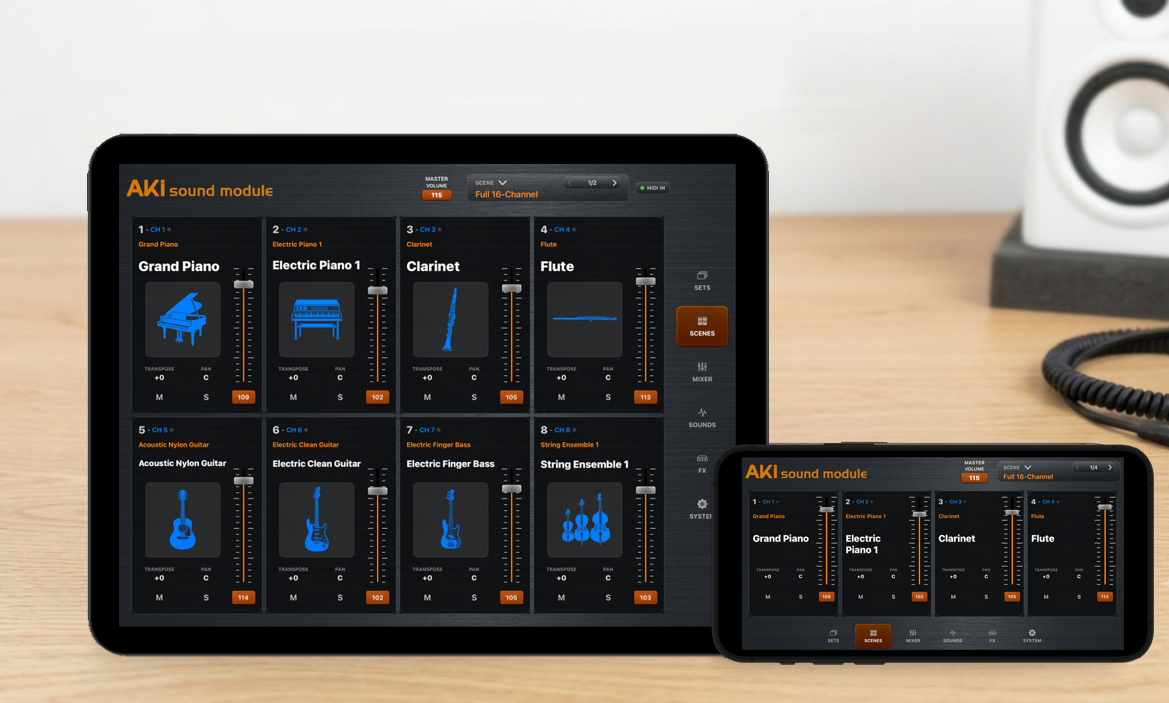
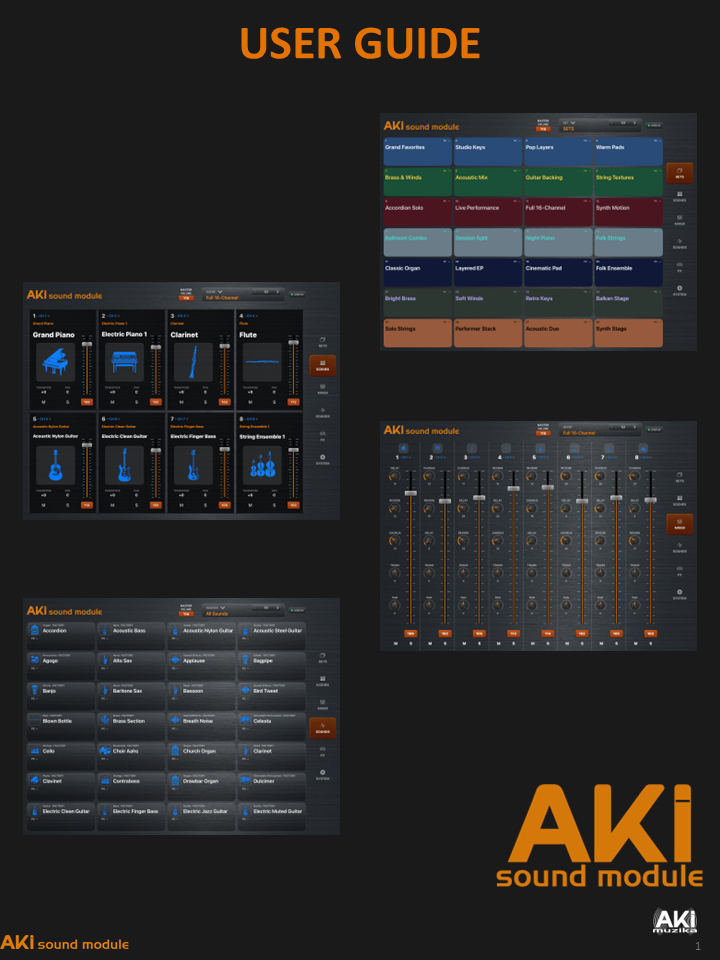
AKI Sound Module is a professional 16-part sampler and MIDI sound engine for iPhone and iPad. Import your own WAV samples and SF2 soundfonts, create flexible key and velocity mappings, assign sounds across MIDI channels, and perform with velocity, aftertouch, mod wheel, expression, pitch bend, sustain, and program changes. Save complete setups as scenes for fast recall on stage, in the studio, or while sequencing—without dedicated sampler hardware.

APP Store information
Column
Column

External link opens in new tab or window

Column

Column

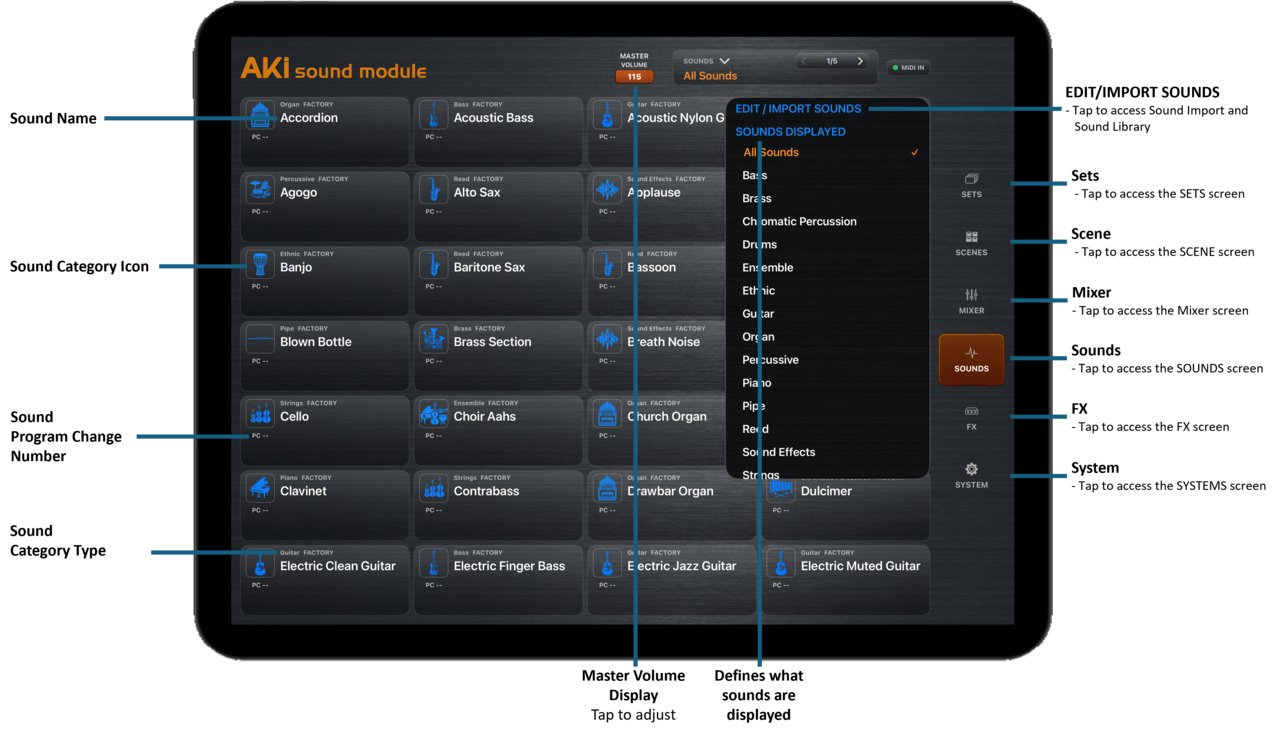
SOUND IMPORT & LIBRARY

• Import individual WAV samples directly from the Files app

• Select the WAV’s root note for correct pitch mapping

• Create multisampled instruments from folders of root-numbered WAV files

• Automatically map each sample across its keyboard zone

• Import SF2 sound fonts

• Save imported WAV instruments in ASM’s native sound format

• Organize, rename, and delete imported sounds

• Open supported sound files directly from the Files app


16-PART SOUND MODULE

• 16 independent parts

• Assign a different WAV or SF2 sound to each part

• Assign multiple parts to the same MIDI channel

• Per-part key range and velocity range

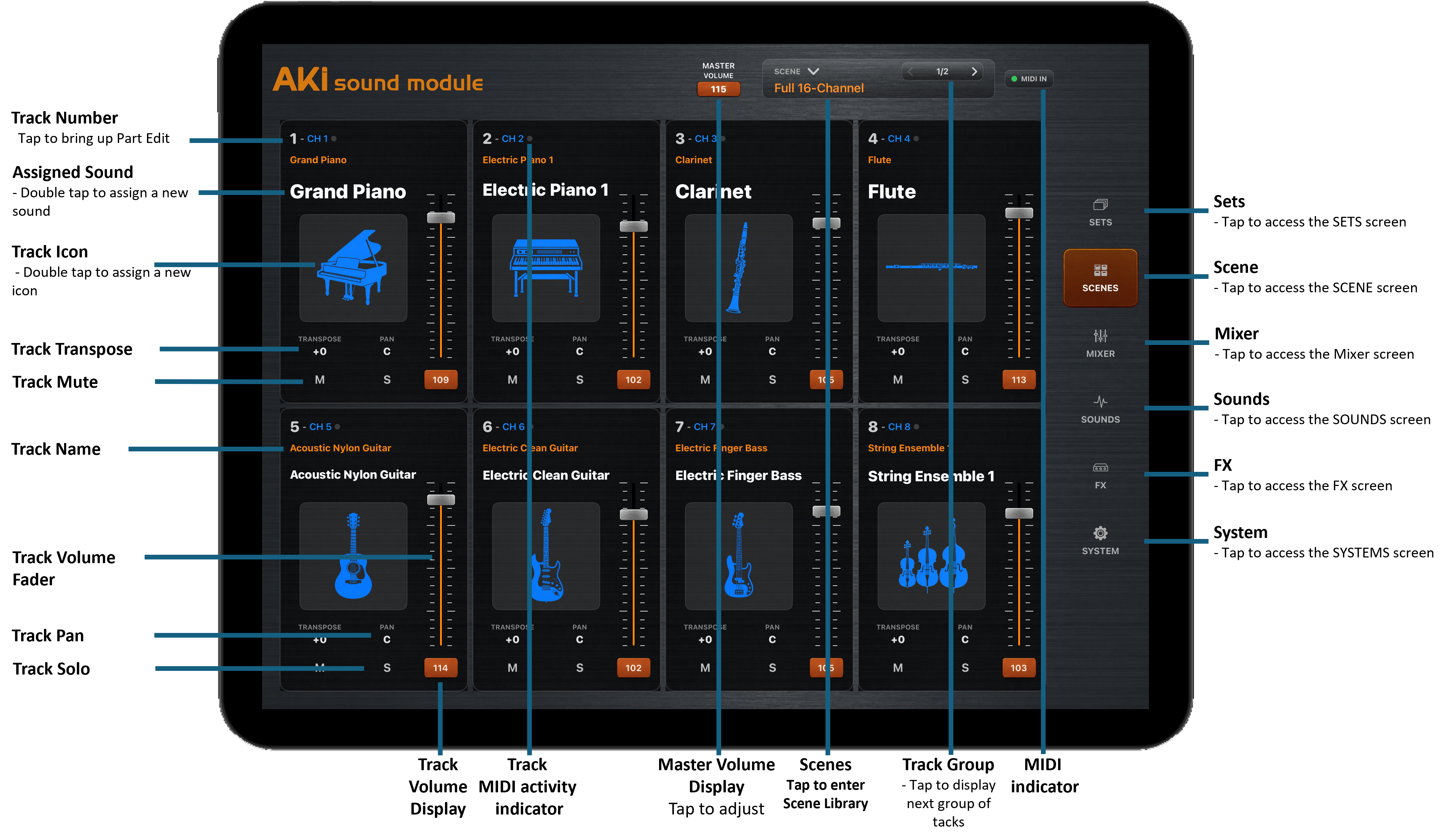
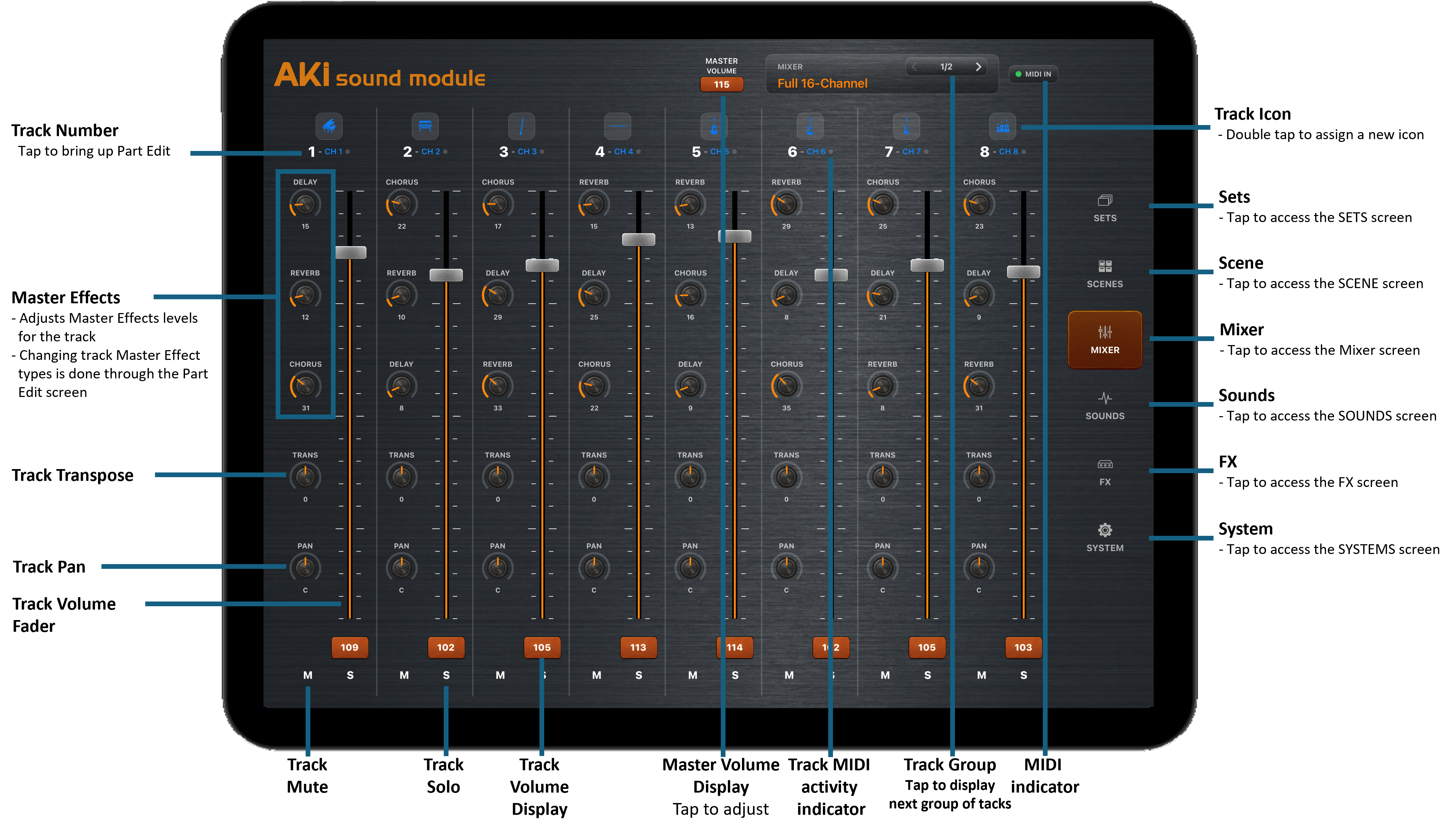
• Per-part volume, pan, transpose, mute, solo, and enable controls

• Enable or disable MIDI reception for individual parts

Column

• Change sounds remotely with MIDI Program Change

SCENES & LIVE SETUPS

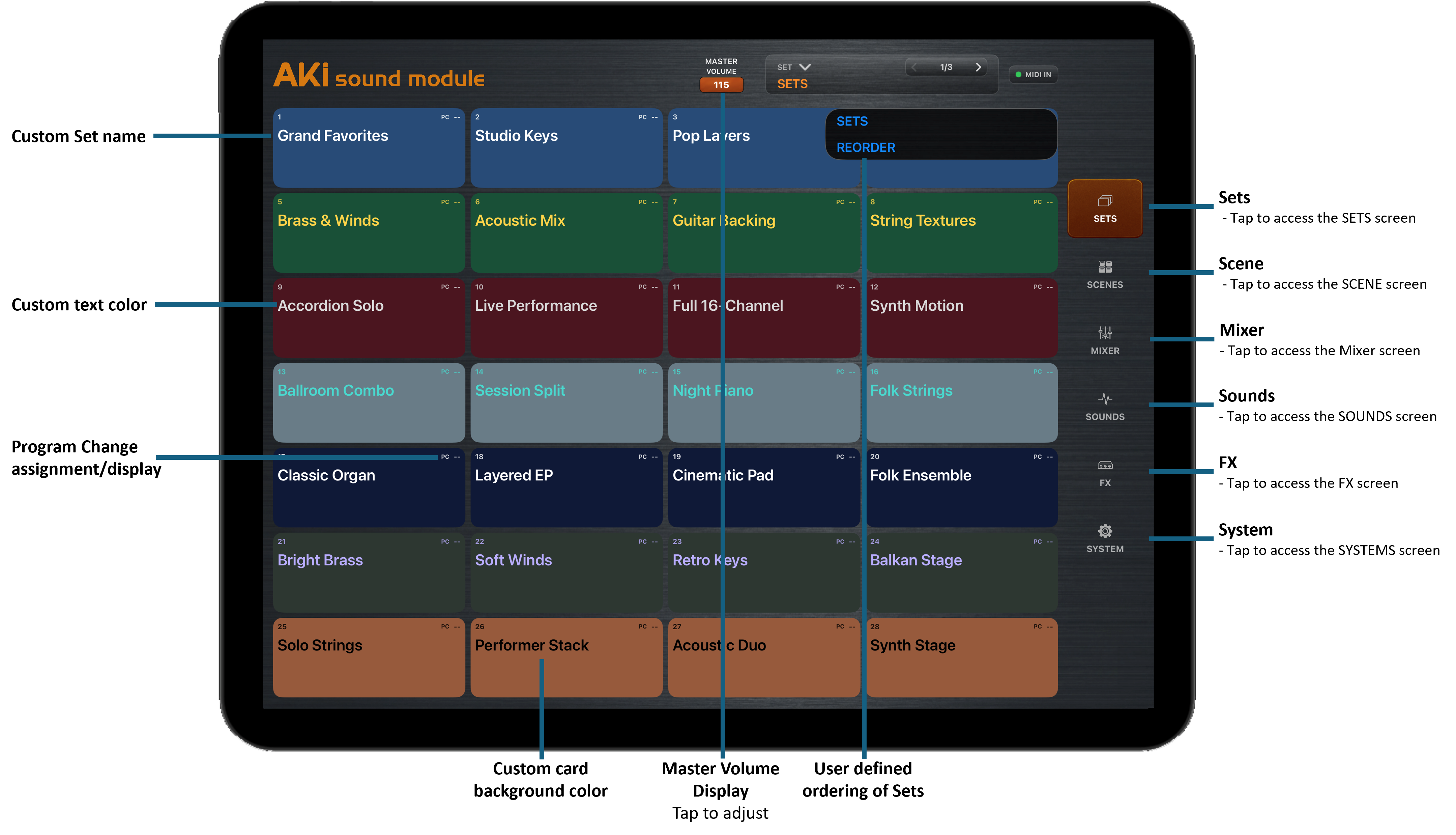
• Save complete sound assignments and performance settings as scenes

• Create, recall, rename, duplicate, and delete scenes

• Store part levels, pan, transpose, key ranges, mute, solo, and enabled states

• Recall complete setups instantly during a performance

• Assign incoming Program Changes to sounds or scenes

• Keep sound Program Changes separate from scene recall


SCENE TILE CUSTOMIZATION

• Customize the visible performance tiles for each scene

• Select which track is shown in each tile

• Show only the parts needed for the current performance

• Assign custom names and instrument icons to tiles

• Build different screen layouts for different songs, instruments, or live setups


Column

MIXING & EFFECTS

• Per-part volume and stereo pan

• Per-part EQ, Drive, Delay, Chorus, Reverb

• Independent effect sends

• Master EQ and drive

• Master volume and output limiting

• Effect and mixer settings saved with scenes


MIDI & CONNECTIVITY

• 16-channel MIDI input

• Bluetooth MIDI support

• Virtual MIDI support

• Automatic MIDI device detection

• Multiple simultaneous MIDI controllers

• MIDI Program Change, Control Change support

• Background audio


DESIGNED FOR LIVE USE

• Fast scene and sound recall

• Customizable performance screen

• iPad and iPhone compatible

• iOS 16+


Click to edit text. What do visitors to your website need to know about you and your business?


Column


Column


aPP SUPPORT

support@akimuzika.com


contact us


574773
Invalid Form properties detected


__parser__boolean_attribute_value__parser__


Copyright © 2026 AkiMuzika.com. Aleks Enterprises LLC. All rights reserved.


close lightbox